
Is GPT-6 Astra Available Now? How to Safely Share It with Family and Friends
Yes — GPT-6 Astra is now fully available to eligible paid plans, Codex, and the API. This article explains the permission differences among Plus, Pro, Business, Enterprise, Free/Go, and GPT-6 Pro, and demonstrates how to securely share via revocable Agent connections without sharing OpenAI account passwords or API Keys.
As of September 5, 2026, GPT-6 Astra has completed its initial phased rollout and is now fully available to eligible paid ChatGPT plans, Codex, and the OpenAI API. "Fully available" here does not mean "free for everyone": Free and Go are still outside the current Astra availability scope, Plus can use the base Astra, but GPT-6 Pro in Chat remains limited to Pro, Business, and Enterprise; restricted cybersecurity capabilities continue to be managed by Trusted Access.
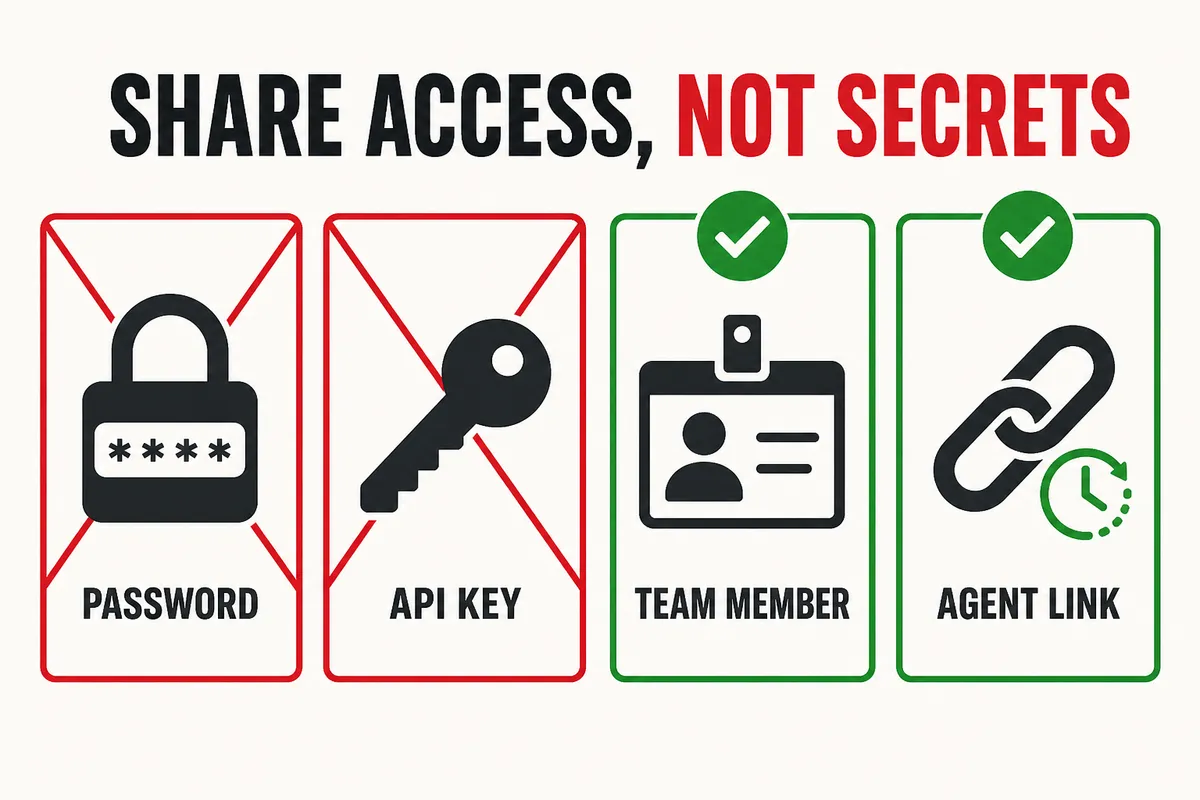
If you want team members or collaborators to use Astra, the core principle remains a single sentence: share permissions, don't share credentials. Ask them to use their own workspace membership, restricted project permissions, or an Agent connection that can have an expiration date and be revoked at any time. Don't send your OpenAI login password, and don't paste a personal or company API Key into a chat window.
How to Access GPT-6 Astra and Which Accounts Can Use It
OpenAI's GPT-6 Astra model page now lists the full specifications. Astra is built for complex reasoning, programming, computer use, research, and document creation; the model ID used in the API is gpt-6-astra. It supports web search, file search, code interpreter, hosted Shell, Computer Use, MCP, Skills, and asynchronous tool calls.
| Entry point or plan | Status as of September 5, 2026 |
|---|---|
| ChatGPT Plus | GPT-6 Astra is available; does not include GPT-6 Pro in Chat |
| ChatGPT Pro | GPT-6 Astra is available; GPT-6 Pro can be used |
| Business / Enterprise | GPT-6 Astra and GPT-6 Pro are available; specific visibility is still subject to workspace admin settings |
| Codex | Eligible paid accounts can use Astra; the model list also depends on sign-in method, client, and workspace policy |
| OpenAI API | Live with model ID gpt-6-astra |
| ChatGPT Free / Go | GPT-6 Astra is not currently available |
| Trusted Access cybersecurity capabilities | Not fully rolled out with the standard version; additional eligibility and security restrictions remain |
If you still can't see it after the full rollout, it is usually no longer a queue problem. First confirm you are not on Free/Go, then distinguish between base GPT-6 Astra and GPT-6 Pro, check whether your Business/Enterprise admin has allowed the model, and sign in again or update your client. Which models are visible in Codex also varies between ChatGPT login, API Key login, and workspace policy.
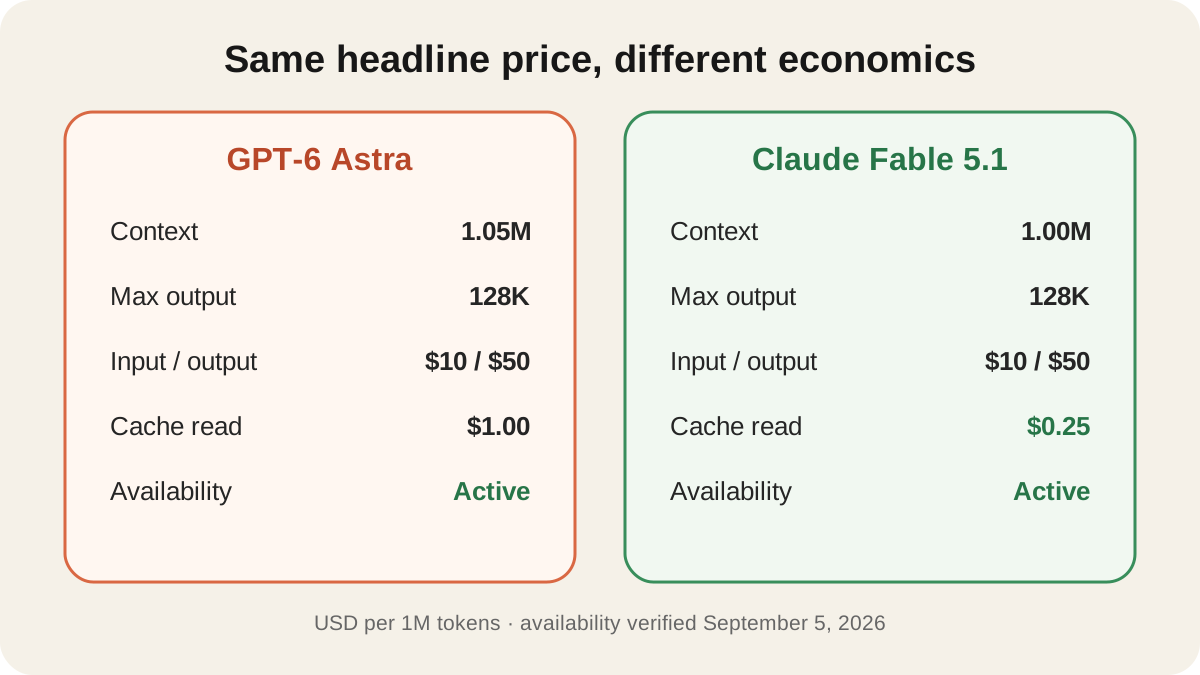
API specifications remain unchanged: 1,050,000-token context, 128,000-token max output, base pricing of $10/MTok input, $1/MTok cache read, $12.50/MTok cache write, $50/MTok output, and a knowledge cutoff of April 30, 2026. The OpenAI API changelog also records the GPT-6 Astra general release.
For inputs above 272K tokens, the input and cache prices for the entire request double and the output price becomes 1.5x. Batch and Flex are 50% of standard pricing. So the 1.05M context represents an upper capacity limit, not a guarantee that filling the context still bills at the base unit price.
"Fully available" also does not mean you should buy so-called activation codes, shared accounts, or API Keys of unknown origin. If you are eligible but can't see the model, check your plan, product entry point, workspace policy, and client status instead of bypassing official permission boundaries.
Can You Share GPT-6 Astra with Family and Friends?
You can share access, but you should not share OpenAI login accounts or API Keys. OpenAI's account sharing policy explains that personal accounts should be used by the person who created them; family or friends who need ChatGPT should create their own accounts. Sending your email, password, or login session directly would expose your chat history, billing information, and permissions across other products as well.
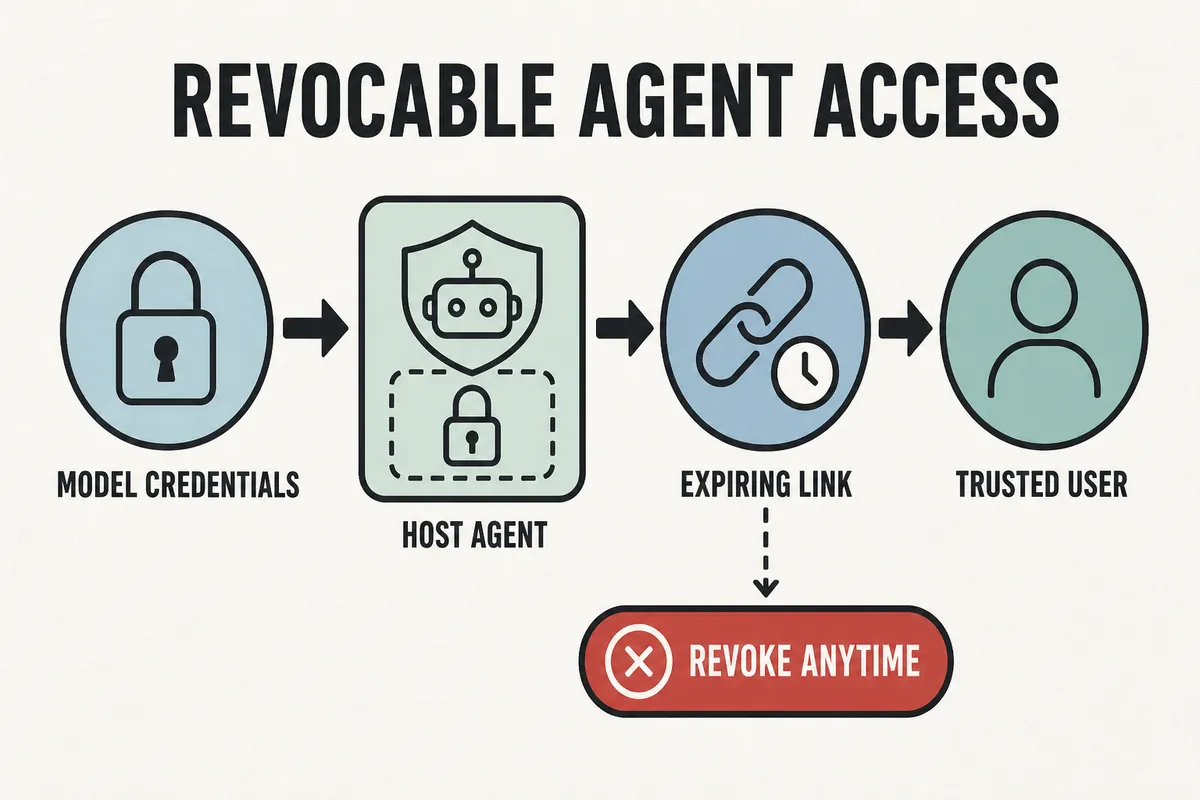
If the other person only occasionally needs to use an Astra Agent running on your machine, you can share a separate Agent connection through PandaNpc. The model still runs on your computer, and your OpenAI credentials stay on your computer; the other person only receives that connection and can send tasks from their own phone or browser. Shared links can be set to expire in 1 day, 7 days, 30 days, or never, and can be revoked at any time.
| Sharing method | What the other person gets | Is it recommended? |
|---|---|---|
| Send OpenAI email, password, or login session | Your full personal account, history, payment methods, and access to all products | Don't do this |
| Send a personal or company API Key | They can call the API with that key's permissions and quota; the cost and risk belong to the key owner | Don't do this |
| Everyone uses their own OpenAI account | Everyone has independent history, permissions, and usage | Best choice for long-term use |
| Share a revocable Agent connection | The other person uses a designated Agent on your computer and never gets OpenAI credentials | Suitable for trusted family and friends |
How to Share GPT-6 Astra with Family and Friends
Before you start, confirm on your own computer that Codex, PandaCode, or another host Agent can already select and call GPT-6 Astra. PandaNpc will not unlock the model for an account without Astra permission; it only takes an Agent connection that already runs on your computer and securely brings it to another device.
1. Set Up a Remote Connection on Your Own Computer
Install and sign in to pandapaw, the host side of PandaNpc, so your local Agent connection appears in the PandaNpc connection list. Open the connection yourself first and run a read-only task to confirm the actual model is GPT-6 Astra and that the working directory and tool permissions match what you expect.
2. Generate a Share Link with an Expiration Date
In the connection list, right-click the relay connection you want to share and choose "Share connection." Prefer 1-day or 7-day validity; only consider 30 days or permanent for long-term shared use. After clicking "Generate share link," send the link privately to the intended family member or friend.
Local connections cannot be shared directly because they have no remote bridge. If you don't see "Share connection," first confirm you selected a relay connection.
3. Have the Other Person Claim It with Their Own PandaNpc Account
The other person opens the share link and signs in to their own PandaNpc account to claim it; they can also paste the link or share code into the connection link field under "New Connection." After claiming, the connection appears in their list, but GPT-6 Astra still runs on your computer.
4. Run a Read-Only Test First
Don't use a real project the first time. Prepare a separate test directory and ask the other person to send "report the current working directory, do not modify any file" so you can confirm they can only reach the intended connection and that tool approvals and directory permissions match your settings.
5. Review or Revoke the Share When Done
In the "Shared connections" section of your PandaNpc personal center, you can see the connection name, number of people who claimed it, and remaining validity. After you click Revoke, anyone using that share token is disconnected immediately; your own connection and other independent shares are unaffected.
What to Know Before Sharing GPT-6 Astra with Family and Friends
Connection sharing is safer than handing over the account, but it is not a read-only preview. Family and friends can send commands, approve tool actions, and read or modify files within the Agent's current permission scope; usage draws on the host owner's subscription or API quota. Multiple people using it at the same time will also consume quota faster and may affect each other's tasks on the same computer.
Existing connection shares are revoked by share token, not per person. If the same link was sent to three people, revoking that share disconnects all three. So it's best to generate a separate share for each person and avoid pasting the same link into a group chat or public page.
If the other person only needs to see results rather than operate the machine, share a read-only session or a results page instead of a connection. If you must allow operation, at minimum use a dedicated working directory, least privilege, short validity, a read-only first test, cost alerts, and immediate revocation when the task is done.
FAQ
Is Astra the same as GPT-6?
Yes. The official product name OpenAI released on September 3, 2026, is GPT-6 Astra, and its API model ID is gpt-6-astra.
When was GPT-6 Astra released?
GPT-6 Astra was released on September 3, 2026, initially with a phased rollout starting with Trusted Access enterprises. As of September 5, 2026, it is fully available to eligible Plus, Pro, Business, Enterprise, Codex, and API entry points.
Is GPT-6 Astra available to everyone?
No. It is now fully available to the paid plans, Codex, and API entry points that were officially committed, but Free/Go still cannot use it; Plus does not include GPT-6 Pro in Chat, and restricted cybersecurity capabilities are not open to regular accounts either. So the more accurate statement is "full availability for eligible entry points," not "everything free for everyone."
Can I share my GPT-6 Astra account now?
You should not share the login account. OpenAI personal accounts should be used by the person who created them; when collaboration is needed, use separate accounts, team workspace membership, project permissions, or a revocable Agent connection.
Can I share GPT-6 Astra with family?
You can share an Astra Agent connection running on your computer, but don't hand your OpenAI account password to family members. Use PandaNpc to generate an expiring, revocable connection for them; the other person claims it with their own PandaNpc account, and model quota is still covered by your host account.
Can I share GPT-6 Astra with friends?
Yes, but only with people you trust. Once a friend claims the connection, they can operate your computer and files within the Agent's permission scope, so use an isolated working directory, keep tool approval enabled, and generate a different share link for each friend.
Can I send the GPT-6 Astra API Key to a coworker?
Not recommended. Configure separate projects, service accounts, and scoped keys for apps or team members instead of forwarding a personal or company master key.
Who pays for model usage after sharing with PandaNpc?
The host owner running the Agent covers the upstream model or subscription usage. PandaNpc does not turn an API-billed session into a subscription session, and it will not unlock models for accounts without Astra permission. See the account, plan, and model cost explanation for details.
Will revoking a share affect my own GPT-6 Astra use?
No. Revoking only disconnects the people using that share token; your own main connection remains usable. If you generated different shares for different people, revoking one does not affect the others.
Why is GPT-6 Astra not showing for my account?
If you still can't see it after full availability, check four things in order: whether your account is Plus, Pro, Business, or Enterprise; whether you're looking for base Astra or GPT-6 Pro, which is limited to higher-tier plans; whether your workspace admin allows the model; and whether the client is updated and you have signed in again. Free/Go users not seeing it is a normal permission boundary and should not be bypassed with shared passwords or unofficial channels.
Conclusion
GPT-6 Astra has been officially released and is now fully available to eligible paid plans, Codex, and the API. What still needs to be distinguished is no longer "am I still in a queue," but the permission boundaries between base Astra, GPT-6 Pro, Free/Go, workspace policies, and restricted cybersecurity capabilities.
When sharing with family and friends, don't copy your OpenAI account or API Key. The safer approach is to generate a short-lived, revocable connection for your local Astra Agent in PandaNpc Agent, have the other person claim it with their own account, and revoke it as soon as it is no longer needed. To compare Astra with another flagship model, continue reading GPT-6 Astra vs Claude Fable 5.1.
Related guides
GPT-6 Astra vs Claude Fable 5.1: Coding, Agents, Pricing, and Benchmark Comparison
GPT-6 Astra and Claude Fable 5.1 are both publicly available, and both are flagship models priced at $10 per million tokens for input and $50 per million tokens for output, but they have trade-offs in programming, computer operation, long tasks, cache costs, and context. This article uses a common benchmark to compare them item by item and provides a method for selecting models based on tasks.
Read article →
Can you share a Claude subscription? How to safely share Claude Code with friends and team (no password, revoke anytime)
Yes — and you don’t need to hand your account password to anyone. PandaNpc lets you share the Claude Code connection on your machine via a link with friends, family, or teammates: they remotely use your subscription quota to run Claude Code. Each share is an independent, revocable token with 1/7/30-day or permanent validity; one-click revocation disconnects them instantly, without affecting your own usage at all.
Read article →
Use Codex on Your Phone: ChatGPT Remote vs CLI (2026)
Use ChatGPT Remote to control supported Mac/Windows Codex chats from iPhone or Android; use PandaNpc for Codex CLI, Linux, and headless hosts.
Read article →